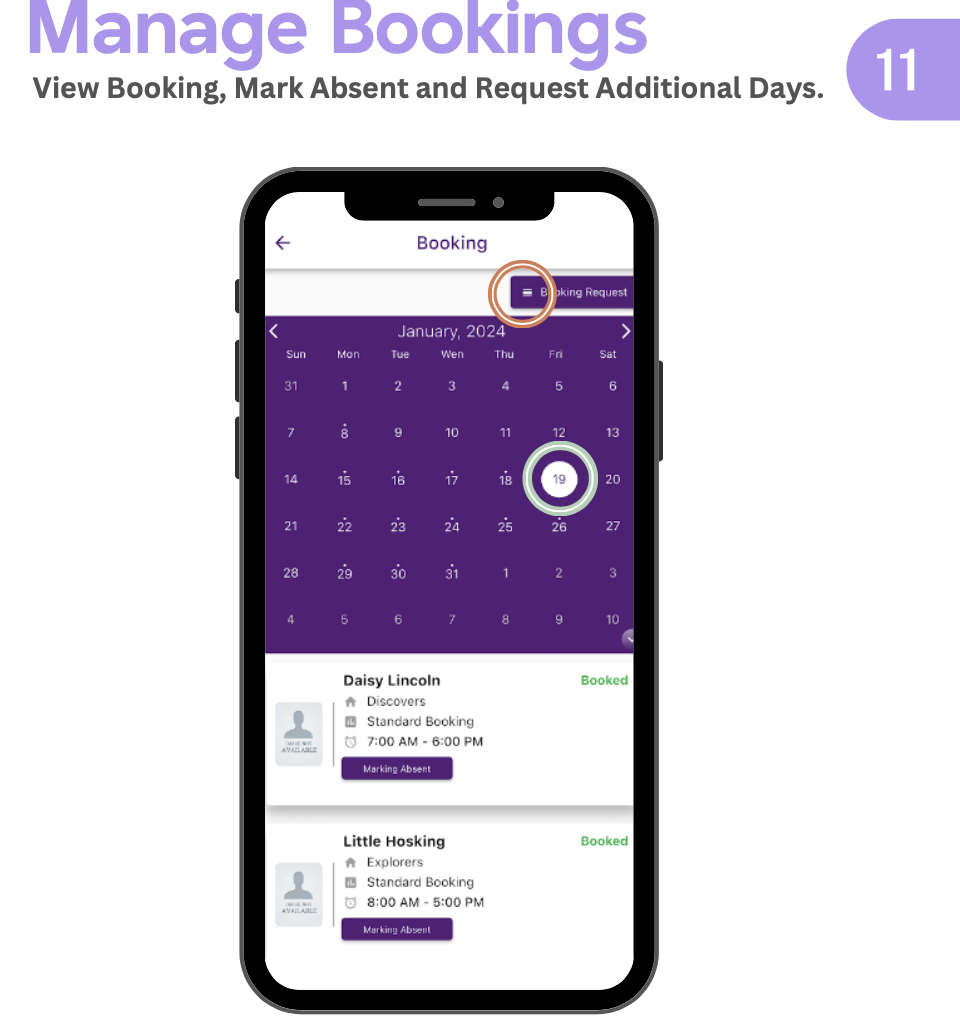
Want to check the bookings made for the week? Ad-Hoc casual bookings getting confusing? With Kinderm8 you can double check the system in real time for the current bookings.
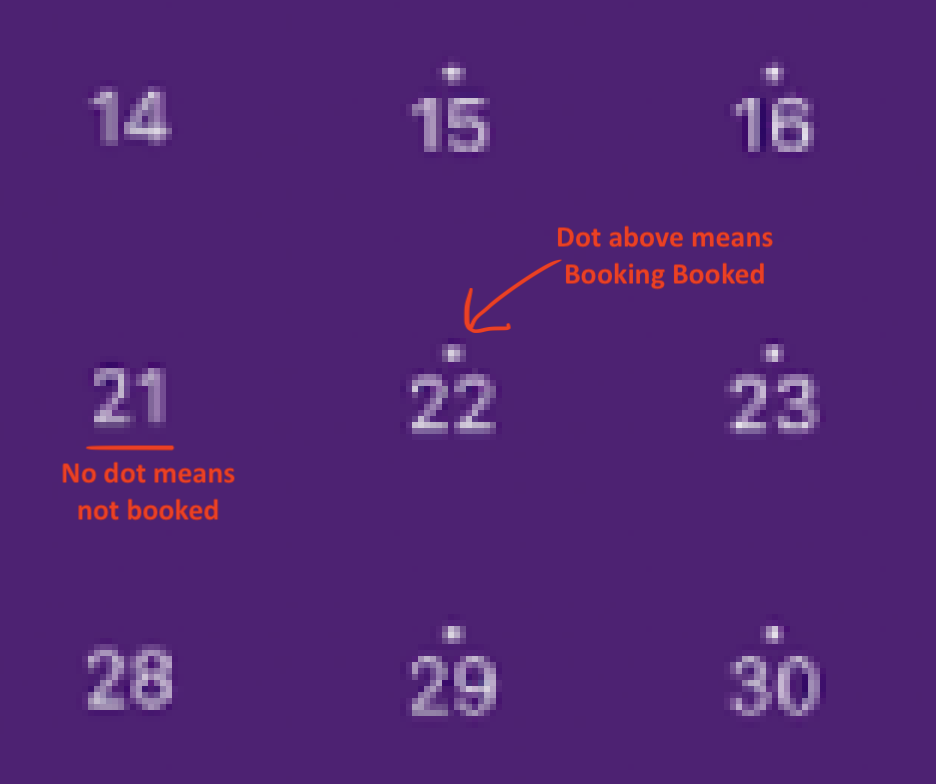
In the Kinderm8 app, go to the Bookings tab. You will see a little dot above the numbers for days that have been booked. There will be no dot for days that have not been booked.
If you see a day that has been booked incorrectly, or a day that should have been booked but hasn’t, please let Beams know right away.
(See the images for what to look for)
Guide: Checking your bookings (with Kinderm8)